side-projects · workflow · learning
Building my homelab: Part 1
October 08, 2026
I’m not sure when it started but I’ve wanted to set up a homelab for a long time. I first heard the concept of a homelab from The Changelog podcast. I had no particular goal for it at the time, but I found it cool that you can do a lot of awesome stuff with a homelab. So I wanted one.
As you would normally would, I started going down a rabbit hole on Youtube about homelabs. I watched a lot of homelab Youtubers — Techno Tim, Raid Owl, and Hardware Haven. I saw how they’re building their homelabs, what they do with it, and how to build my own. Most of the homelabs they build are overkill for most people. I don’t need a huge server rack with server-grade computers, switches, NAS, and so on.
I always figured I would start small, with something like a Raspberry Pi cluster. But in recent years, the price of the Raspberry Pis has climbed so high. That’s no longer a viable option for me anymore. So I started looking elsewhere.
Mini PCs
Mini PCs are a great option for starting a homelab. They’re usually cheaper than a regular PC and laptop, if you don’t want the bleeding edge, high end stuff. That stuff is overkill, for now. But since I’m living in India, most of the leading mini PC manufacturers don’t ship to India. Even if they do, what I have to pay in customs duties would be too expensive.
A lot of Hardware Haven’s videos feature used mini PCs from Lenovo, Dell, and HP. These are those little enterprise workstations. Due to rising RAM and storage costs, these mini PCs have gotten quite expensive, if you buy new. For example, new Lenovo Thinkcentre mini PCs start at 70k INR for mid-range specs. Refurbished ones on Amazon and Flipkart affordable but the sellers felt sketchy.
Then I got an idea from a friend - Facebook Marketplace. And boy did I find a treasure trove of options. I started scouring listings of used Thinkcentre mini PCs. I eventually found a seller with good reviews and contacted him. He had a bunch of used but near-new condition Lenovo Thinkcentre M710Qs.
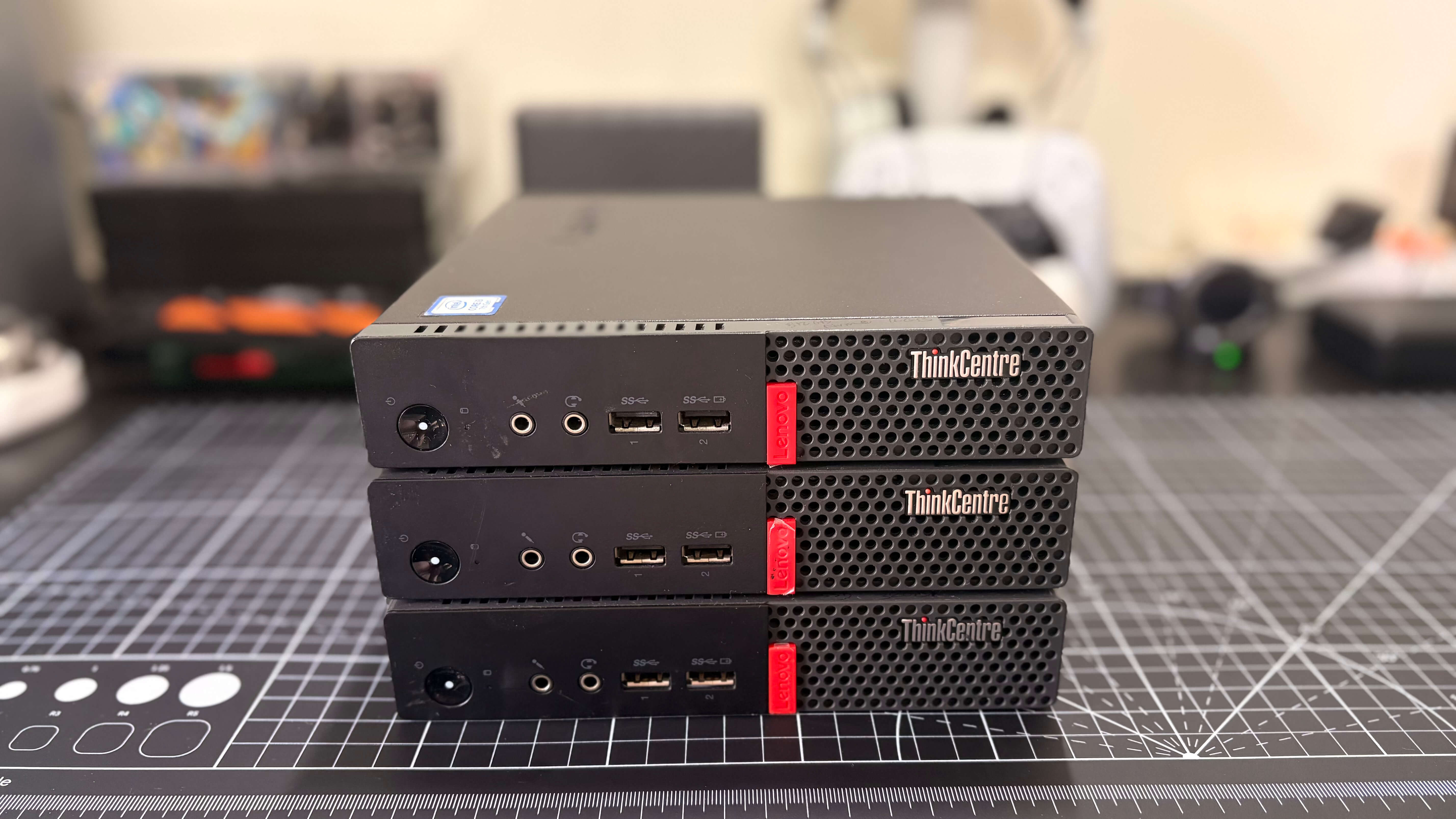
Here are their specs:
- Intel Core i5 7th Gen
- 8GB DDR4
- 256GB SATA SSD
They also have a 1 Gbps NIC, 1 unused M.2 NVMe slot, 1 unused memory slot, 2 Display Ports, and a few USB Type A ports. They also have Wifi but I haven’t checked what chip it is yet. I bought 3 units at 15k INR (~$150) each, so 45k (~$450) INR total. I’m planning to buy one more soon.
Each had 8GB of RAM which is fine for running Ubuntu Servers. I'd run Docker and Kubernetes on bare metal, host some apps, that kind of stuff. This is a perfectly fine beginner homelab set up. But I want to go further — set up Proxmox, manage k8s clusters, host a lot of apps, set up observability, and more. Turns out, the memory and storage the M710Qs come with is not enough. So I added more memory - 32GB on one node, 16GB on the other two. I had a couple of spare 512GB M.2 NVMe SSDs lying around so two nodes also got a storage upgrade.
Again, this is overkill for a beginner homelab but I had the budget for this. And I want to do a lot of stuff without having to upgrade for a while.
Network Switch
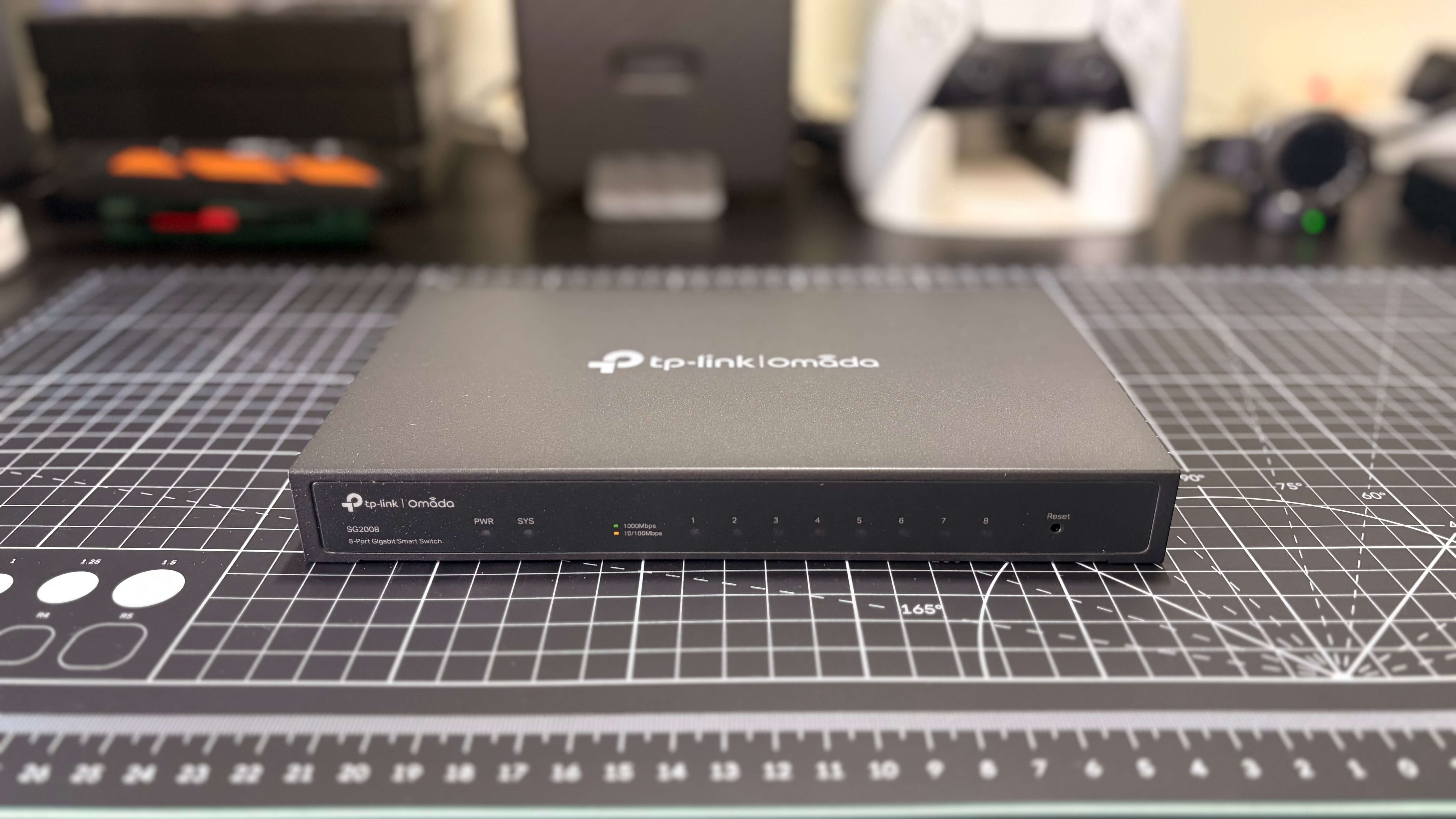
After some research, I bought a tp-link SG2008. It’s an 8-port switch that can handle up to 1000Mbps speeds. It also fits in a 10-inch mini rack. It’s slightly overkill but I wanted some headroom for experiments I want to do in the near future.
Plans
So here’s some of the things I want to do:
- Become a Docker expert
- Learn networking, Proxmox, virtualization, Kubernetes, etc
- Become a DevOps expert
- Self-host apps and services
- Build a 10-inch mini rack with my 3D Printer (more on this in a later article)
- Do some home assistant stuff
I want to learn and do a lot of cool stuff with my new homelab. This is an exciting new journey that has been a long time coming. I’m starting this new series of articles to document the things I’m doing with my homelab.